Find a Verified Work Email From a LinkedIn Profile URL
Most prospect lists start on LinkedIn. You have a profile URL, maybe a Sales Navigator export, and what you need is a work email that delivers.
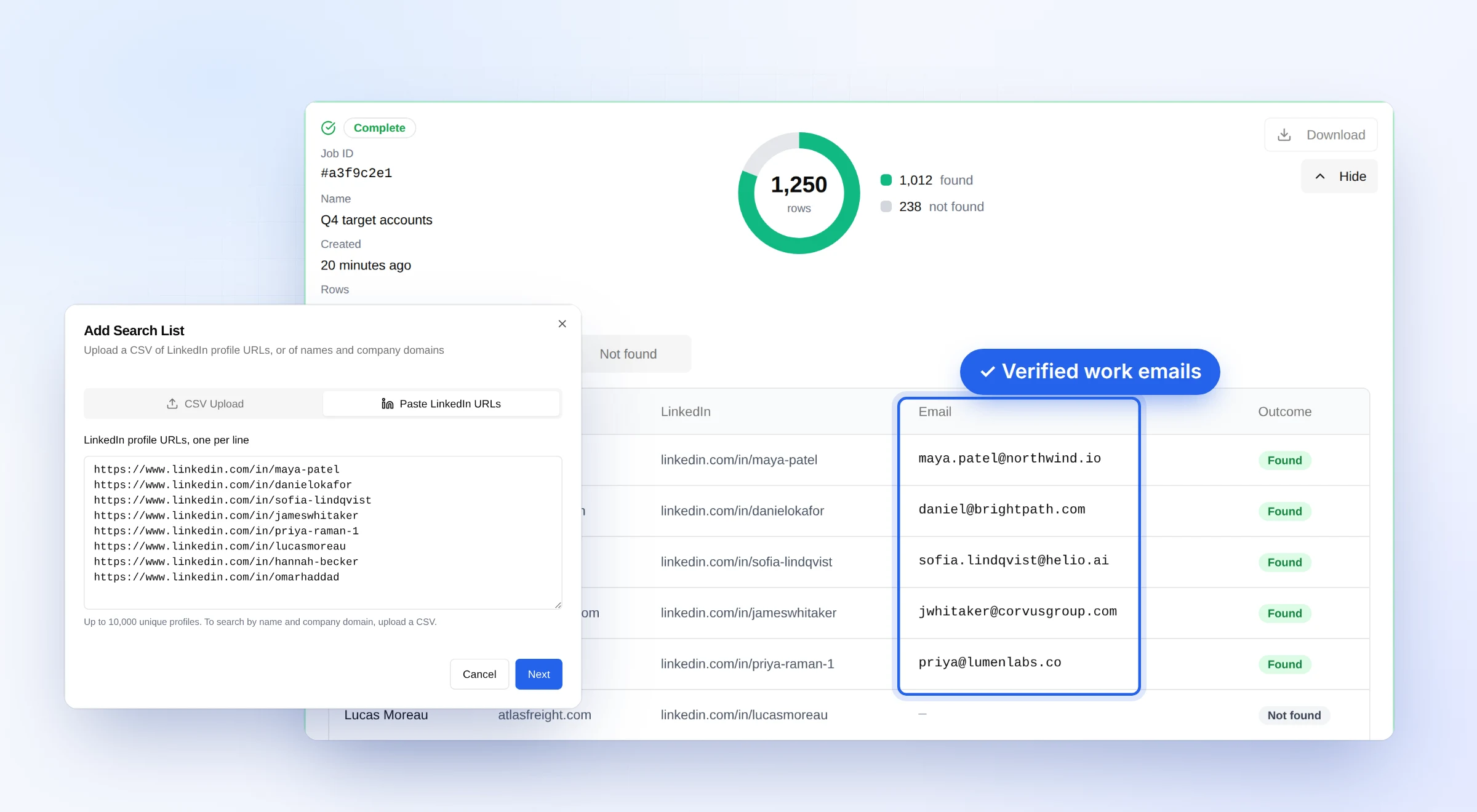
You can now give OrbiSearch just the LinkedIn profile URL. We find the person's work email at the company they work at today and validate it before we return it. No name, company or domain needed. You can paste or upload up to 10,000 profiles in the dashboard, or use the API.
This week we also shipped an improvement that finds emails we used to miss: when a company's website isn't where it gets email, we now search the domain it actually uses.
How it works
- You give us LinkedIn profile URLs. Up to 10,000 at a time in the dashboard or through the bulk API, or one at a time over the single API.
- We check where the person works today. We identify their current employer and the company's website, then work out the domain that company actually receives email at.
- We find and validate the email. Every email we return has been validated, including on catch-all domains, behind secure email gateways and on greylisted mail servers. If we can't confirm a deliverable address, we return no email rather than a guess.
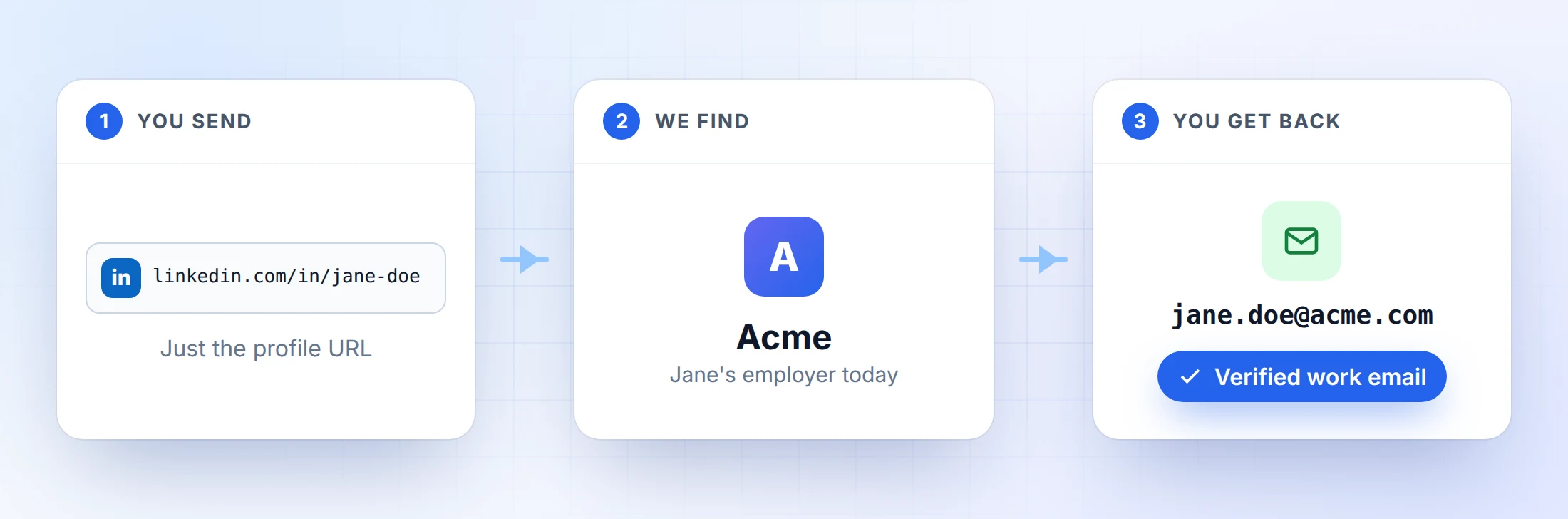
Each result comes back with the email, the person's name, their current employer and its LinkedIn page, the company's website domain, and the domain the company hosts its email on.
Why the current employer matters
Database tools serve emails from records that can be months old. When someone changes jobs, the old record stays, and the email in it either bounces or reaches an inbox nobody reads.
Starting from the LinkedIn profile means we search at the company the person works at today, not one from an old record. If they've changed jobs, you get the email at their new company rather than one at a company they've left.
New: the right email domain, not just the website
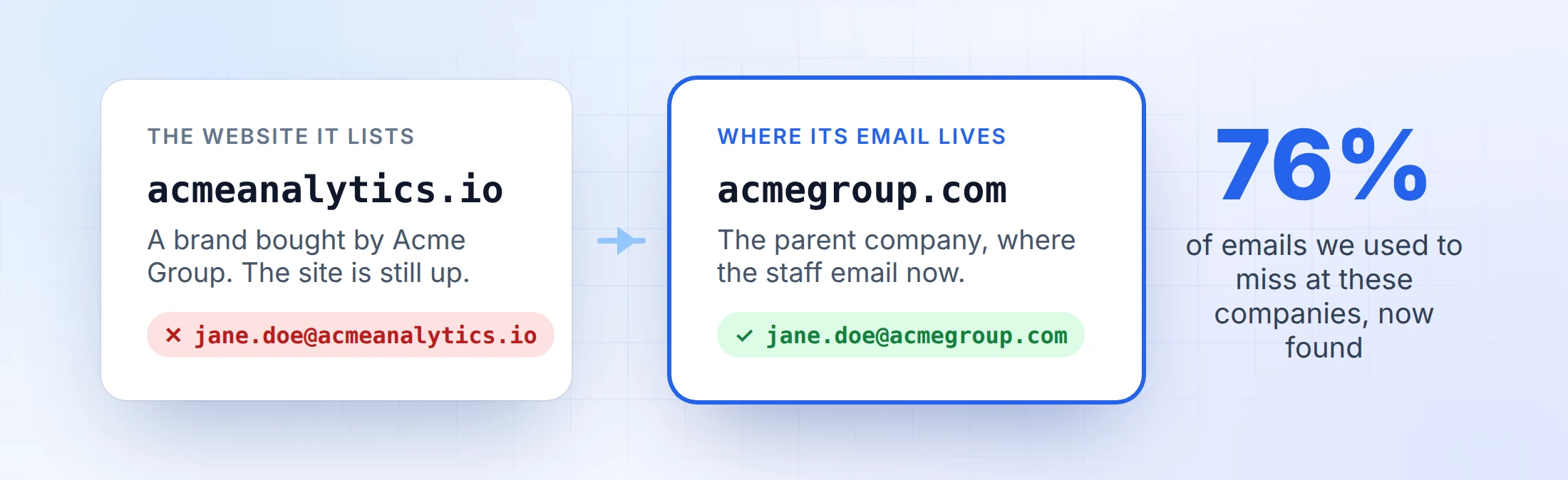
Some companies list a website that doesn't receive email. A common case is a brand bought by a bigger company: the old website stays up, but the staff now email at the parent's domain. We used to search that website domain and come back empty, even though the person had a perfectly good work email at another domain.
Now we work out the domain the company actually gets email at, confirm it belongs to the same company, and search there.
We re-ran past searches at companies like this. We now find 76% of the emails we previously missed at them, each one validated like every other result.
One API change: domain and email_domain
So you can always see where the email is hosted, results now carry two fields:
domainis always the company's website domain.email_domainis the domain the company hosts its email on.
For almost every company the two are the same. If your workflow uses domain as the email domain, switch it to email_domain. The same applies to Company Enrichment results, and CSV downloads gain an "Email Domain" column.
LinkedIn URL or name and domain?
Both inputs cost the same and return only verified emails. Choose by the list you have:
- Use the LinkedIn URL when your list is profile URLs, when you don't have clean company domains, or when the list is a few months old and people may have moved.
- Use name and domain when you already have first names, last names and company domains you trust. It usually finds more, because it skips the employer check.
Getting the best results
- Copy profile URLs from LinkedIn rather than building them by hand. A URL put together from someone's name often points to a profile that doesn't exist, or to someone else.
- Judge it on a real list. A single profile tells you very little. Try 50 to 100 people from a list you'd actually email.
- Read the reason on misses. When we can't return an email, each result says why: the profile doesn't exist, we couldn't identify a current employer, the employer has no company website, or we searched and couldn't confirm a deliverable address.
Pricing
A LinkedIn search costs 1 credit, the same as a name and domain search. In bulk, rows that aren't LinkedIn profile URLs aren't charged. Unlimited plans cover LinkedIn searches too, in the web app and the API. New accounts get 100 free credits. See pricing for credit packs and unlimited plans.
Try it
Sign up free and paste your first list of profile URLs into the dashboard, or send a linkedin_url to the email finder API (copyable examples in the docs):
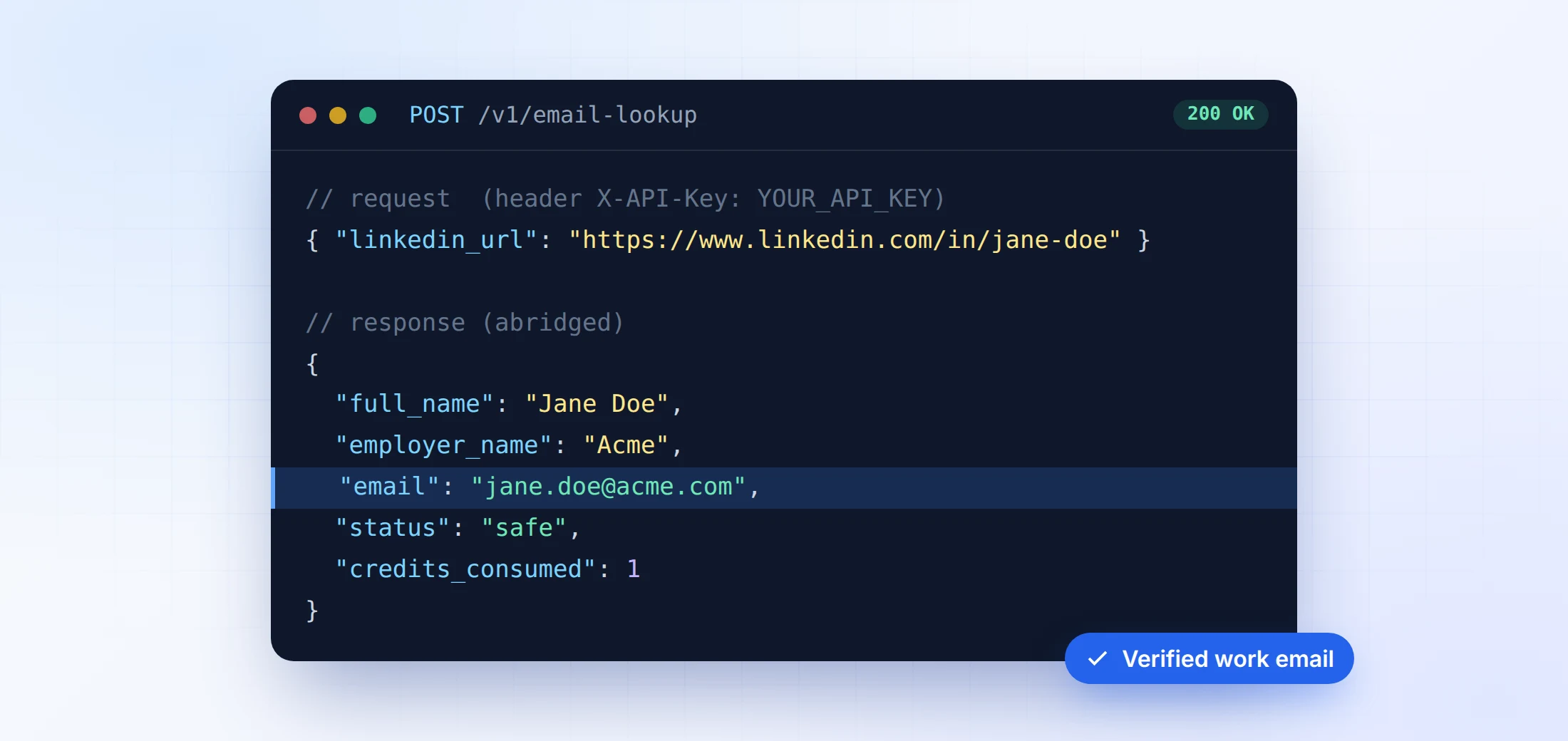
More detail is on the LinkedIn Email Finder page. If something doesn't look right in your results, get in touch and we'll look into it personally.